Location reference
Provide spatial context and visible geometry for further environment work.

Entertainment, VR & AR
Use geometry and visual context from accessible locations as inputs to environment reconstruction, visualization, and immersive content. Agree the production asset requirements and downstream work before capture.
The project challenge
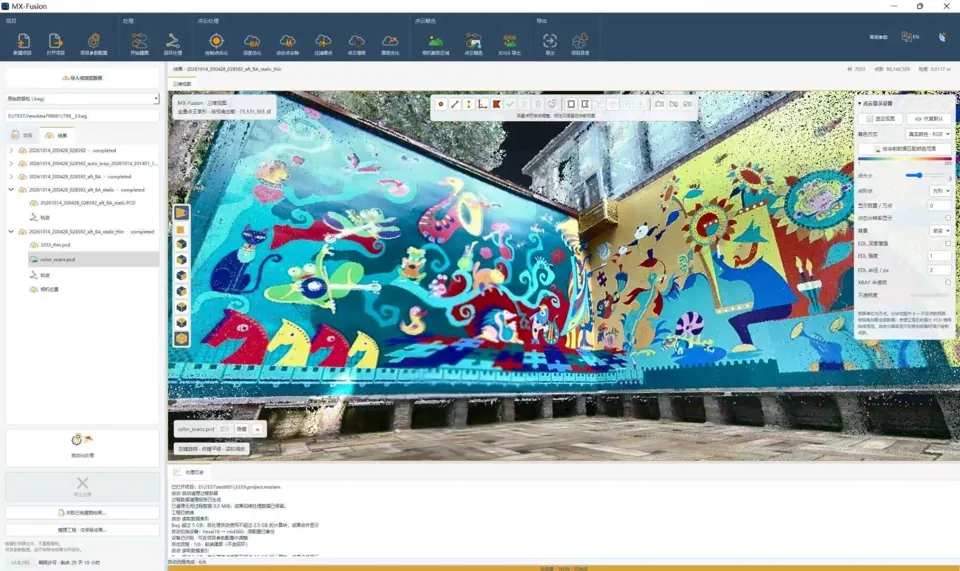
A location scan can provide a geometric reference, but the receiving production pipeline may require cleanup, modeling, texture work, optimization, and testing. Define the target software and performance requirements at the start.
Useful deliverables
Provide spatial context and visible geometry for further environment work.
Evaluate colorized data and available imagery against the project’s visual requirements.
Agree file types and the downstream conversion, cleanup, and optimization scope.
From planning to handover
Agree software, visual detail, scale, and performance requirements.
Plan coverage, lighting, access, and occluded areas around the intended scene.
Complete the required reconstruction, cleanup, modeling, and appearance work.
Check scale, import, performance, and the visual result in the receiving tools.
Project requirements
Relevant systems
Evaluate colorized point clouds and supported 3D Gaussian output through the selected MX-Fusion workflow.
Explore Cobra S & X →Consider portable capture for connected location geometry where supported exports meet the brief.
Explore Pentra →Evaluate 360° coverage around more complex location geometry, with downstream processing agreed separately.
Explore Radix →Evaluate the selected hardware and processing configuration using the project’s environment, required detail, and deliverables.
Related reading and resources
Inspect real captured surfaces before planning a production test.
Explore Cobra color and geometry examples →Understand the different representations used in the pipeline.
Explore Point clouds and models →Check import requirements for the receiving content tools.
Explore Exchange formats →Confirm supported import or conversion routes for the selected representation. Cleanup, modeling, and optimization may be required for the target engine and experience.
They are different representations with different rendering and editing requirements. Confirm that the intended software supports the chosen output.