01 · Prepare
Set up the scanner
Install the battery, CFexpress card, antenna, and extension rod. Connect to the device’s Wi-Fi interface and enter the manhole information.

Portable manhole 3D scanning and modeling system
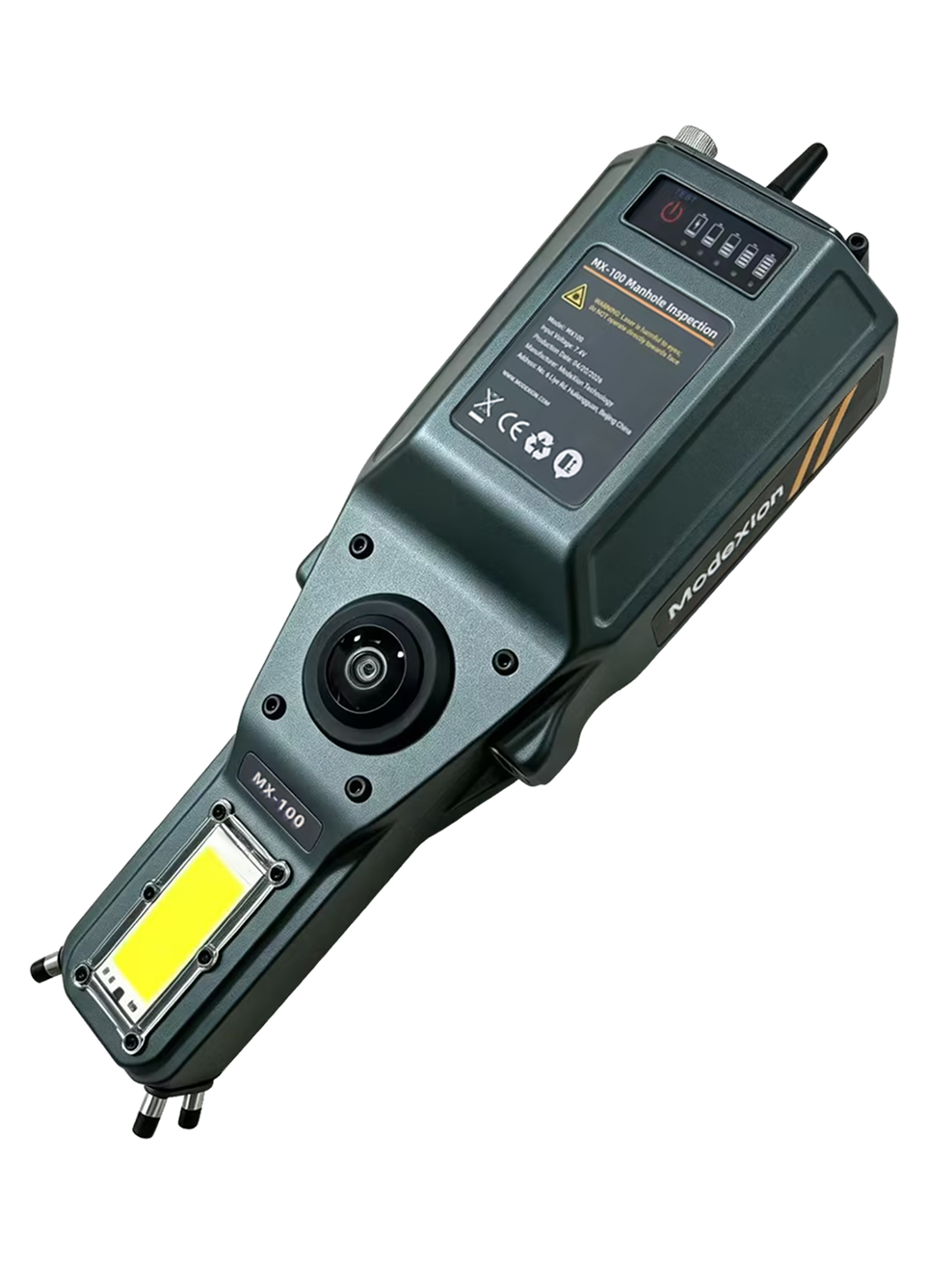
Capture manhole interiors from ground level and turn field recordings into a reviewable 3D inspection record.
Record camera and scan data, reconstruct the interior with MXview 360, then review measurements, wall images, and reports. Explore the sample recording or follow the quick start guide to understand the workflow.
Built for underground inspection
The MX-100 brings visual capture and spatial reconstruction into a portable manhole inspection workflow.
The inspection challenge
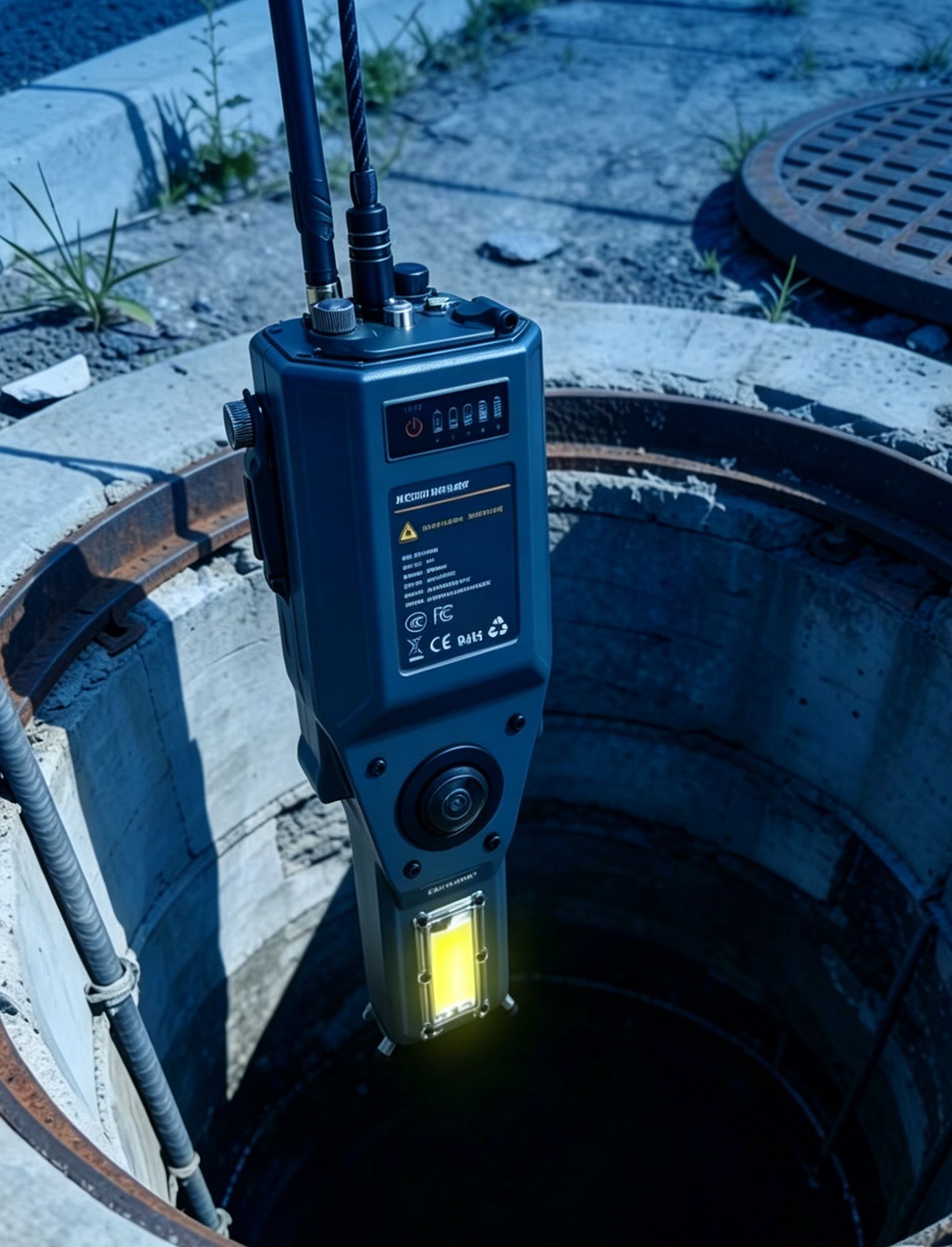
The MX-100 supports capture from ground level so teams can review interior geometry and visual records after the field visit. Plan each inspection around the site’s access conditions and safety procedures.
From capture to report
The quick start guide covers each setup, collection, and processing step in detail.
01 · Prepare
Install the battery, CFexpress card, antenna, and extension rod. Connect to the device’s Wi-Fi interface and enter the manhole information.
02 · Capture
Follow the guide’s positioning, lighting, descent, and return procedure. Save the collection before shutting down.
03 · Process
Select the BAG recording in the processing software, run reconstruction, and define the manhole axis for alignment and unfolding.
04 · Deliver
Review the point cloud, mesh, and unwrapped wall image. Add project details and export the required inspection record.
Outputs
Review the separate visual, spatial, and reporting outputs produced by the MX-100 workflow.
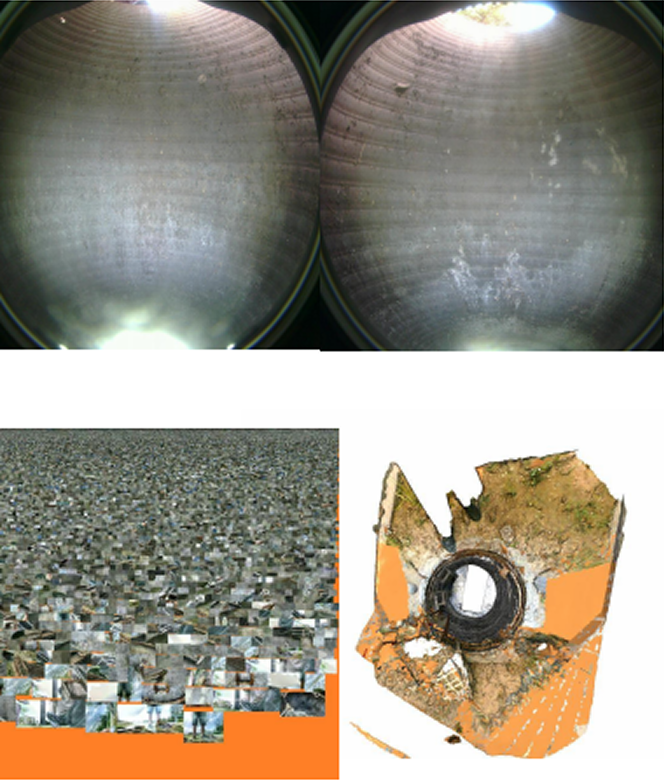
Panoramic imagery and video provide visual records of shaft walls, pipelines, and base structures for later review.
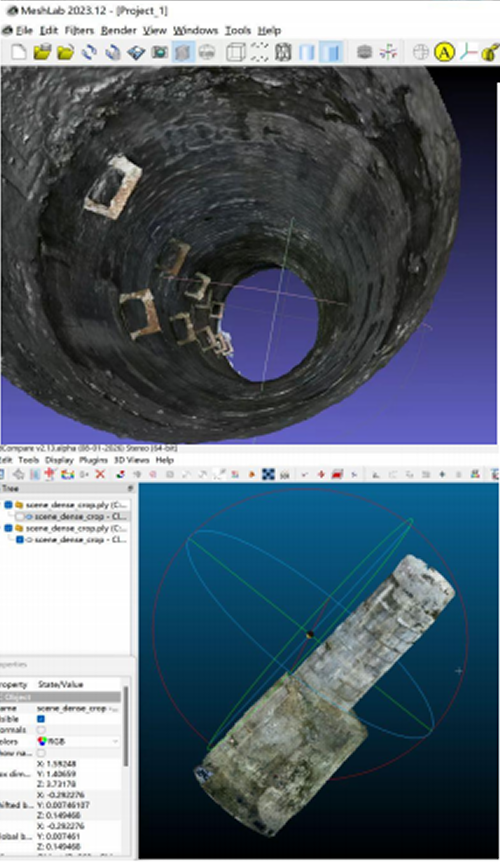
A reconstructed mesh represents the manhole interior for spatial review and documentation.
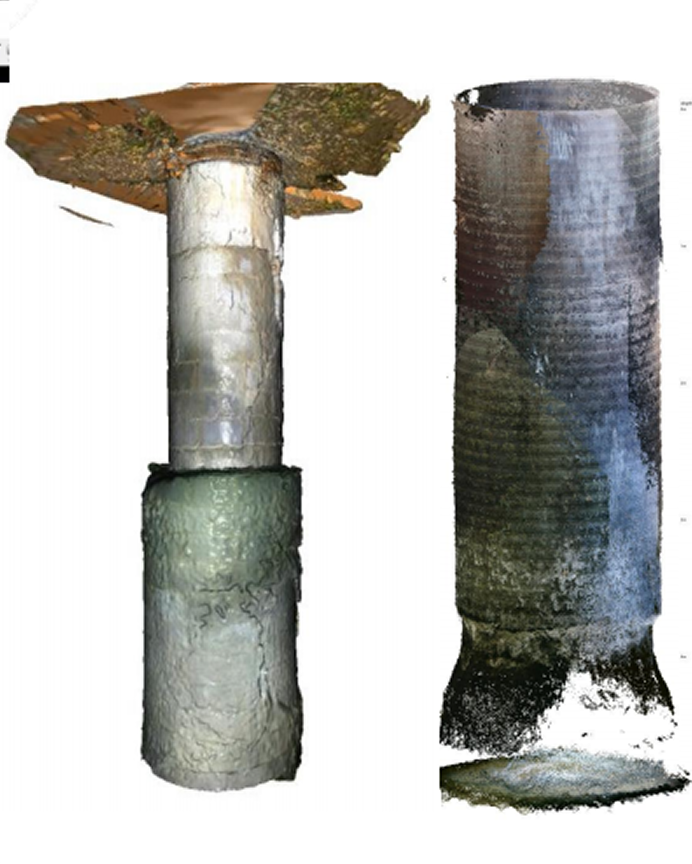
Colorized spatial data shows captured geometry and supports measurement and inspection workflows.
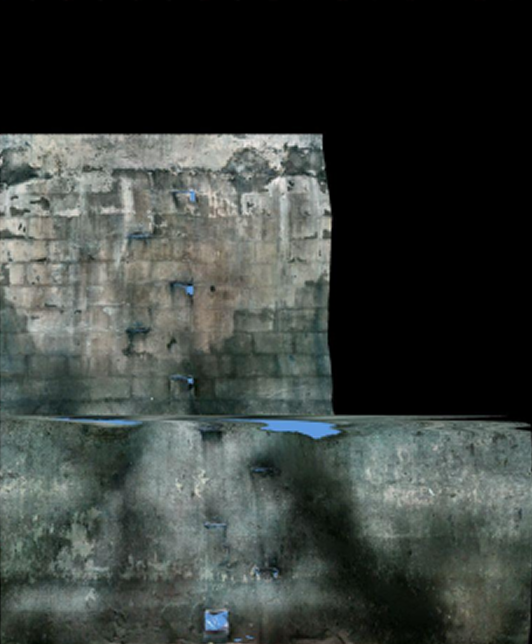
An unwrapped wall view helps reviewers examine and document surface conditions around the manhole.
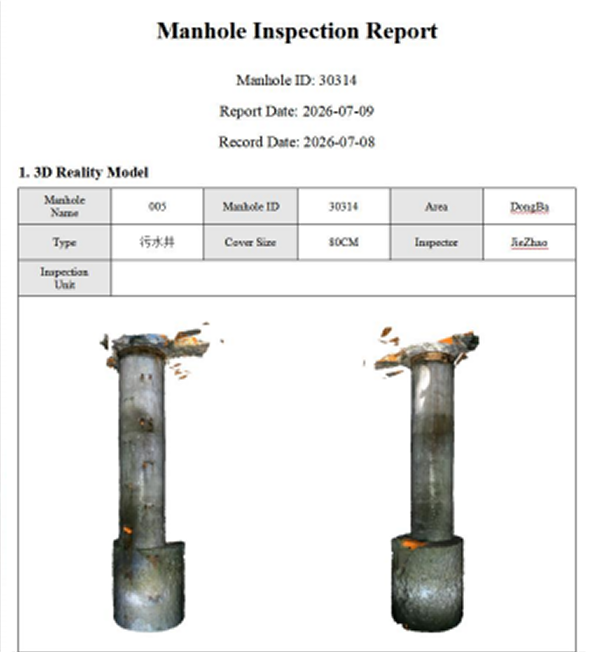
Organized inspection records can bring together captured imagery, model views, and reviewed findings. Confirm report fields and local requirements for your workflow.
Collection and processing
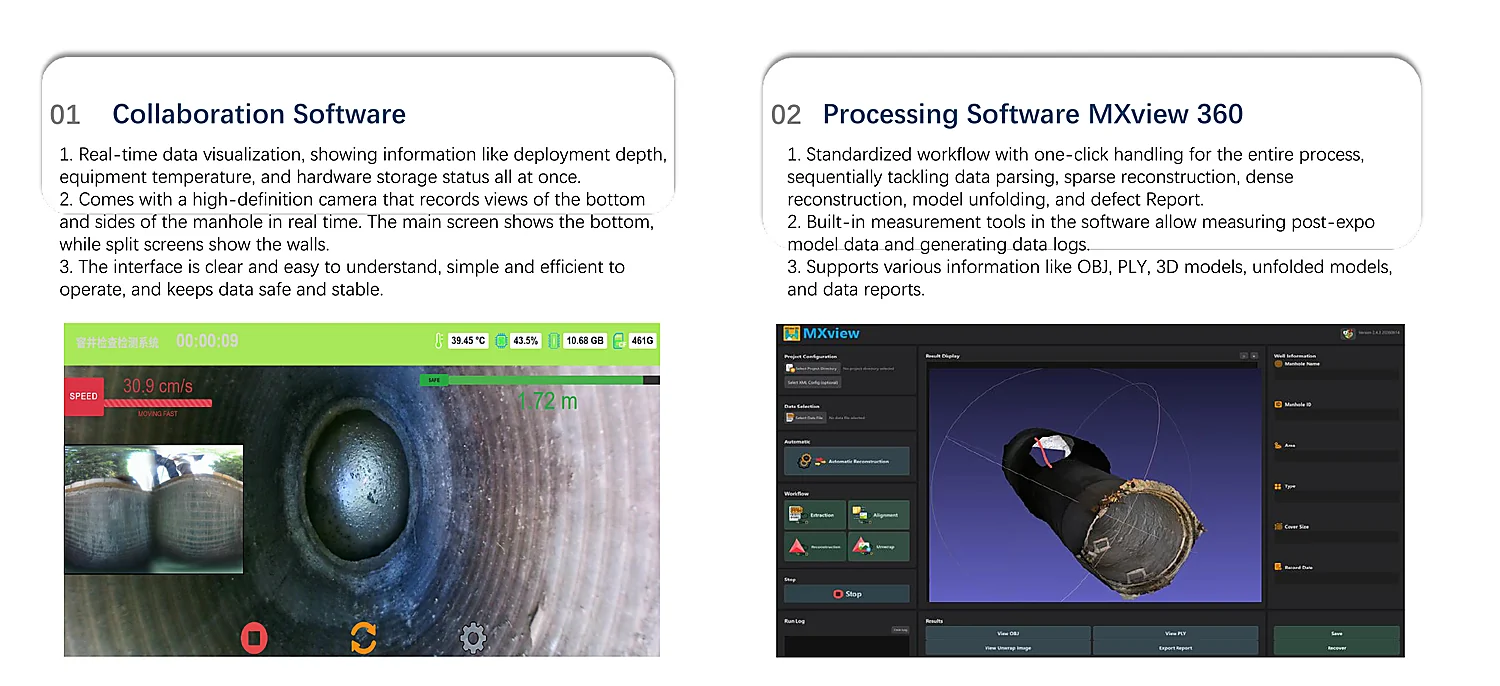
The collection interface presents operational status and camera views. MXview 360 supports parsing, reconstruction, model unfolding, measurement, and report generation.
To evaluate the workflow, download the MX-100 manhole sample recording and follow the quick start guide.
Confirm software access, supported versions, and report configuration with ModeXion before evaluation.
Applications
Technical specifications
Confirm the supplied battery configuration, accessories, and software package when selecting your system.
| Product type | Portable manhole 3D scanning and modeling system |
|---|---|
| Weight | 0.98 kg |
| Dimensions | 278 × 98 × 74 mm |
| Protection rating | IP64 |
| Housing | Aviation-grade aluminum and nylon plastic |
| Operating temperature | -10°C to 50°C |
| Power supply | Industrial rechargeable battery |
| Typical power consumption | 15 W |
| Data storage | CFexpress 128 GB standard; expandable to 1 TB |
| System storage | eMMC 32 GB |
| System memory | 8 GB |
| Camera system | Three 8 MP cameras optimized for low light |
| Lens field of view | Greater than 180° |
| Dynamic range | 110 dB+ with Clear HDR and DOL HDR |
| Video output | 2K-4K panoramic video stream |
| CPU | 8-core ARM; 4× Cortex-A76 + 4× Cortex-A55 |
| Operating system | Linux |
| Wireless | 2.4 GHz / 5 GHz Wi-Fi |
| Storage format | BAG / ROS bag source recording |
| Processing | Post-processing |
Plan stable scanner movement and suitable support around the opening. Follow the site’s inspection and safety procedures.
The listed rating is IP64, with operation from -10°C to 50°C. Evaluate site conditions and chemical exposure before deployment.
Review captured imagery and reconstructed geometry with qualified personnel. Confirm the scope of any AI-assisted tools for the selected software.
Confirm connectivity, software licensing, report fields, and coordinate requirements for the intended workflow.
Evaluate the workflow
Start with the guide, explore a source recording, or review the product brochure.
Setup and processing
Illustrated instructions for device setup, field collection, reconstruction, alignment, measurement, and report export.
PDF · 4.3 MB · 1 page
Download quick start guideSource recording
A supplied manhole test recording containing camera and scan data. Open the BAG file through the compatible MX-100 processing workflow described in the guide.
BAG · 472.2 MB · approximately 58 seconds of recording
Download BAG sampleA large source-data download requiring processing; this file is not a finished point cloud or report. Allow additional space for processing outputs.
Product literature
Review the system, inspection outputs, software workflow, and hardware specifications.
PDF · 2.9 MB
Download MX-100 brochureFor processing computer requirements and capture precautions, read the quick start guide before evaluation. Ask ModeXion to confirm the software version and access needed for your setup.
Browse sample data and file details →The download is a BAG source recording of a manhole test, approximately 58 seconds long. It contains camera and scan recordings for processing, rather than a finished point cloud, mesh, or report. View the sample download.
Use compatible MX-100 processing software. The quick start guide shows how to create a project folder, select the BAG file, start reconstruction, and align the model. Confirm software access and version compatibility with ModeXion before downloading.
The workflow supports panoramic imagery and video, 3D mesh models, point clouds, unwrapped wall images, and inspection reports. Select the outputs and report fields required for your inspection. Explore the output examples.
Yes. The system is designed to be lowered into a manhole using an extension rod or suitable support, with collection controlled through its interface. Follow the guide’s procedure and the site’s safety requirements.
The MX-100 quick start guide includes device setup, capture precautions, processing steps, and minimum PC specifications. Contact ModeXion to confirm the requirements for your current software package.